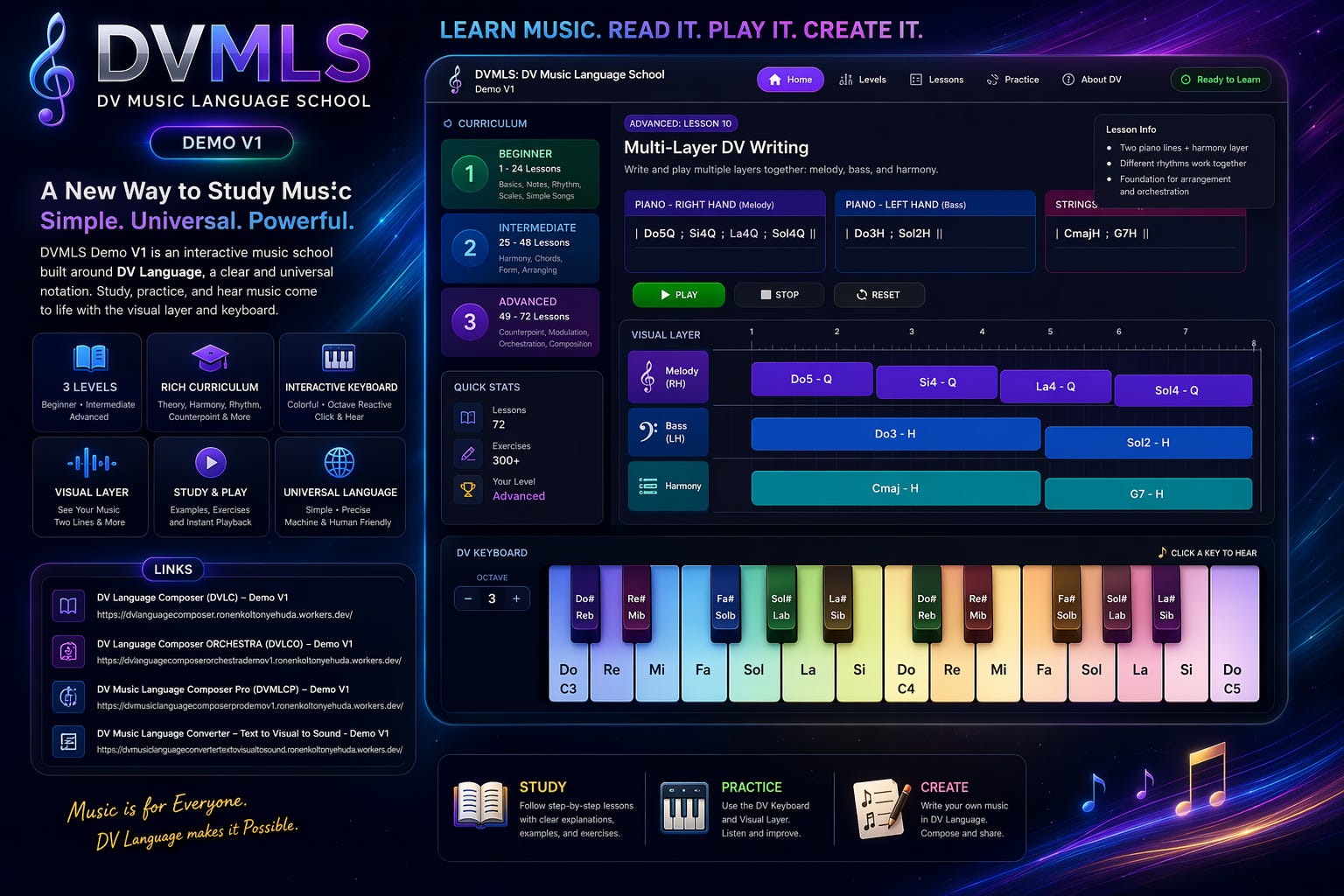
One school for structured DV music study
The theory book presents a broad path from foundations, rhythm, scales, harmony, instruments, percussion, voice, DJ and production, counterpoint, form, composition, improvisation, AI, and education. DVMLS organizes that material into 150 structured lessons across realistic study stages and course groups, moving from basic reading and writing toward ear training, analysis, multi-line writing, composition, orchestration, advanced harmony, post-tonal thinking, and independent portfolio work.
How the demo is organized
- Each level has a course map and a lesson path.
- The lesson viewer teaches step by step with more detailed theory context, practical focus, and exercises.
- The practice area includes a clickable keyboard and a visual layer for inspection of timing, register, spacing, and layering.
- The school links directly to the Composer family, Composer Studio, Player & Tutor, Looper, Converter, Runners, and the wider DV ecosystem for broader workflow movement.
Course logic from the theory book
- Foundations: notation, boxes, pitch, rhythm, scales.
- High-school to pre-academy: harmony, cadences, modes, form, two-voice work.
- Academy: chromatic harmony, tuplets, layered rhythm, counterpoint, orchestration, technical pitch.
About the repertoire studies
DVMLS uses parser-safe educational studies to teach meter, texture, harmony, articulation, and musical style. When an example is a study inspired by a historical style rather than a literal score transcription, the lesson is labeled as a style or texture study so students can distinguish notation practice from an exact edition of a work.
Broader school coverage
DVMLS now contains 150 structured lessons and is intended to function as much more than a short demo syllabus. The material can now be read as a long educational ladder: beginner literacy, high-school theory, pre-academic preparation, academic harmony and counterpoint, rhythm and meter studies, keyboard coordination, technical pitch thinking, and future-oriented links to AI and machine-readable music.
The software side inside the school should support that educational purpose. The keyboard is part of ear training and writing practice. The visual layer helps the student inspect timing, placement, vertical combinations, register, spacing, and the difference between one line, two-line piano writing, and broader layered thinking. In more advanced work, the student should be able to compare melody, bass, and harmony as separate functions before merging them into a larger composition.
Level goal
Level profile
Course groups
Lesson navigation
The complete lesson path is now kept in the left sidebar, like Study DV Music Language. Scroll the sidebar and open any lesson without expanding the main page.
Concept
Rule
Key points
Try it
Common mistake
Detailed lesson content
Learning outcomes
Course context
Suggested exercises
Example
Practice this lesson directly
This school editor now borrows the clickable keyboard and visual-layer direction from the newer Pro and Converter tools. It remains simpler than the Pro demo, but it now lets the student hear, insert, and inspect lesson material more clearly inside the school itself.
Current practice lines
The DV visual layer and traditional staff share the same parsed timing. In Babylon 3D the notes stay fixed while a luminous scanner crosses them in synchronization with playback.
Read and inspect the score here first; the keyboard, chord keyboard and instrument pads are intentionally placed below.
Play · hear · write · connect to the lesson
These controls are adapted from DV Music Language Composer Pro for education. Choose a surface that matches what you are studying; the lesson can recommend one automatically, while you can switch at any time.